Showing posts with label photography challenge. Show all posts

Wednesday, May 31, 2017

PhotoChallenge 2017 Week 22: Silhouettes


Last year I discovered the online PhotoChallenge.org weekly photography challenges and it encouraged me to try a bunch of new techniques and subjects for my budding photography skills.  I've continued this into 2017, and this year promises to be a good one!  I have fallen behind in posting, but have done a few of the older challenges so here's some catch-up!  The idea is to actively take pictures each week but I may also post some older photos that fit the bill on some of these blog posts.

PhotoChallenge 2017 Week 22: Silhouettes

This week I was on the ball and actually got a few shots in time to post them!  The challenge was to get a silhouette shot of some type. The goal was the do this in camera with a minimum of change in post production.  I was up at the cabin of our friends Jim and Lori Stroner during this challenge so I had access to some great subject matter!  Jim is agreat photographer and taught me a lot this weekend--check out his photography HERE.


1) Pink Sunrise:  This one is my favorite shot for sure and probably the best landscape I've shot to date.  I did have to darken the shoreline a bit to cover up a few pops of white from some boats on the distant shore, but really didn't have to tweak this one much at all.  I woke up early on accident (or because of loud birds) and saw this rosy dawn outside, causing me to struggle into clothing, grab my tripod and go running out front while I could.  By the time I got everything set up I had only a few minutes to snap some photos before the sun was up and the lightshow over.  


2) Evening Blues:  This shot was taken looking the other direction out on the lake at nightfall.  Storm clouds had been present just before this and cleared for about 15 minutes prior to full dark.  I did minimal processing on this shot other than erasing one stray bouy from the foreground.  Loon calls echoed around the area while I set up for this shot and were haunting to say the least.


3) Reflections In Foliage:  This one was my attempt at being "arty" and getting the setting sun's reflection of the foliage in the pond.  I came close in what I was attempting but the color shot had a spot of birght green off in the distance where the sun was hitting some tall pines that ruined the silhouette effect.  Answer?  Take out the color!  I added a little split toning on this as well (red to the highlight and green to the shadow) to make it more interesting. 

Thursday, May 4, 2017

PhotoChallenge 2017 Week 15: Low Key

Last year I discovered the online PhotoChallenge.org weekly photography challenges and it encouraged me to try a bunch of new techniques and subjects for my budding photography skills.  I've continued this into 2017, and this year promises to be a good one!  I have fallen behind in posting, but have done a few of the older challenges so here's some catch-up!  The idea is to actively take pictures each week but I may also post some older photos that fit the bill on some of these blog posts.

PhotoChallenge 2017 Week 15: Low Key

This week's challenge I actually posted on time, but am only getting around to doing my short blog post now.  Low key photography usually uses a black or very dark background and most of the tones are in the shadows.  This effect is easy to pull off with post production, but this week's challenge specifically required getting this effect in camera.  

I took this following picture of the outside of the Smithsonian Castle in Washington D.C.  This arch was in the shadowed side, away from the sun, but I really wanted to get a shot of the details.  I did take a few more shots with a lighter exposure, but they lacked the impact and shadows of this one.  I did nearly no manipulation to the shot in Lightroom other than basic boosts that most RAW shots require.  


Here's a bonus older picture from when I first got my DSLR camera in 2014.  I took this wild flower shot in a shady forested area.  The flower was in a ray of light so the dark background really seemed darker.  I'll admit this shot was a bit of luck, but since then I've learned how to do this on purpose!


Wednesday, May 3, 2017

PhotoChallenge 2017 Week 17: Storytelling--Emotion

Last year I discovered the online PhotoChallenge.org weekly photography challenges and it encouraged me to try a bunch of new techniques and subjects for my budding photography skills.  I've continued this into 2017, and this year promises to be a good one!  I have fallen behind in posting, but have done a few of the older challenges so here's some catch-up!  The idea is to actively take pictures each week but I may also post some older photos that fit the bill on some of these blog posts.

PhotoChallenge 2017 Week 17: Storytelling--Emotion

This one I actually posted on time!  The idea is to tell a story with a picture--harnessing some human emotion to get more impact from the shot.  Some pictures are just "pretty" while others may not be beautiful but can still have emotional impact.  

For my shot I used a WW1 memorial that I came across in my home town of Waconia, Minnesota on a walk with my wife.  The memorial is small and frankly the soldier has seen better days, but I wanted to make this work for photo.  I tried several angles and nothing was looking good.  Finally, I joined my wife in the shade of a drooping evergreen tree and realized I could get a picture through the dangling boughs.  Once I got this back into Lightroom I turned it black and white and then added some split toning to add a bit of tint back in.  Almost a low key shot, this one is dark, but the light is mostly on the age-scarred face of the soldier.  


Wednesday, April 26, 2017

PhotoChallenge Week 9: Red

Last year I discovered the online PhotoChallenge.org weekly photography challenges and it encouraged me to try a bunch of new techniques and subjects for my budding photography skills.  I've continued this into 2017, and this year promises to be a good one!  I have fallen behind in posting, but have done a few of the older challenges so here's some catch-up!  The idea is to actively take pictures each week but I may also post some older photos that fit the bill on some of these blog posts.

PhotoChallenge Week 9: Red

This particular week's challenge involved posting your histogram with it, but I didn't get that fancy!  Due to snow and lack of time I missed the deadline for this challenge, but still went back later and completed it!  Here's my sad and cold looking cardinal...


Monday, March 13, 2017

2017 Photochallenge: Minimalism, Monotone Landscape

Last year I discovered the online Photochallenge.org weekly photography challenges and it encouraged me to try a bunch of new techniques and subjects for my budding photography skills.  I've continued this into 2017, and this year promises to be a good one!  I have fallen behind in posting, but have done a few of the older challenges so here's some catch-up!  The idea is to actively take pictures each week but I may also post some older photos that fit the bill on some of these blog posts.

2017 Photochallenge Week 7: Minimalism, Monochrome Landscape

I was actually excited about this one, just since it pushes you to find an unusual subject.  I thought for sure I was going to have tons of winter corn fields with one straggly tree to take shots of, then it hit 60 degrees and all the snow melted.  Then I got busy and fell behind.  I ended up taking this shot of some trees against a mild sunset off my deck.  I desaturated the shot until all you get is a mild hint of pink around the clouds.  The trees are probably too busy to really call this a minimalist shot though.


Here's a bonus shot!

Thursday, December 22, 2016

2016 Photochallenge Week 50: Levitation

Nearing the end of the year now and I've played along with at least 50% of the 2016 photochallenge.org challenges!  This has been a really fun way to push myself to try new techniques and take shots of things outside my usual comfort zone.  I have not done many of the portrait challenges though.  Meh.

Photochallenge Week 50: Levitation

This past week's Challenge was to use levitation in a photo.  This was open to interpretation and several methods could be used for it.  Some where simply fast shutter speeds to catch someone in the air while jumping.  Others were using people or items on stools or hanging from strings and "erasing" the connection to earth in post production.  

I've been doing some on-line Photoshop CC classes through Creative Live and have been learning some fancier techniques of masking and creating composites, so I thought this would be a good time to try this out.  

I took a small monkey table (yes I just happened to have this tacky piece of furniture laying around to my wife's dismay) and removed the glass top.  Placing this against a black back drop with simple one-source lamp light, I took a few base shots of the monkey.  Next, with the same set-up I took pictures of several of my ape and monkey themed books.  Who knew I had so many in my home library?  Next up I fired up Photoshop CC and started a base layer of the monkey.  I opened each book photo on its own, did some minor tweaks to it, then selected the book out from the dark background and copied it into a new layer over the monkey.  Repeat.  I added a drop shadow to the books on top to add 3 dimensional effect to the floating stack.  It isn't perfect but I got a chance to try some interesting effects, including rotating and transforming a few of the books.


And there you go!  A monkey in a fez (fez's are cool again)  levitating a bunch of books!

Wednesday, August 10, 2016

2016 PhotoChallenge Week 32: White on White

At the end of last year I discovered Photochallenge.org.  This is a small group of photographers who set forth a weekly challenge to other professional and amateur photographers.  What I was drawn to with this weekly assignment is that is pushes you to try new techniques and get out and take pictures on a weekly basis.  I'm taking part again this year and will also do a quick blog post about each of them.  The rules of the challenge do require that these are new pictures, not from your back catalog.  With my busy work schedule, I may not be able to get out each week and do this, so I will likely add a few of my older photos on the blog--taking the opportunity to look at the plethora of pictures I've taken and actually do some processing and weeding.

2016 PhotoChallenge Week 32: White on White

I've been super busy the past few weeks and haven't had much time for blogging.  But this week's photochallenge was worth a quick one.  The goal of the challenge is to do a white subject against a white background--but not to shoot in black and white.  A pop of color is acceptable. 

I broke out my small lightbox and used a couple of small lamps to either side to get a more diffuse lighting on this. I set up my camera on a tripod for a bit longer exposure and some stability.  I also used a curved sheet of heavy white paper as a base for the set-up.


1) Eggplants:  I grew these cute little albino eggplants in the garden this year (the only ones not eaten by our annoying local rabbit population).  I liked this set and think the green adds some contrast to the shot. 


2) Eggs! This one is pretty self explanatory. I was going to do a dozen eggs and one brown or bluish one--but these were the only white eggs we had from our meat and egg CSA TC.Farm.  


3) Rollin' Dice:  I got more shadow on this one than I wanted, but it still looks decent.  


Overall a fun challenge and got me a little more practice with white backgrounds!

Wednesday, July 13, 2016

2016 PhotoChallenge, Week 27: Portrait - Abstract

At the end of last year I discovered Photochallenge.org.  This is a small group of photographers who set forth a weekly challenge to other professional and amateur photographers.  What I was drawn to with this weekly assignment is that is pushes you to try new techniques and get out and take pictures on a weekly basis.  I'm taking part again this year and will also do a quick blog post about each of them.  The rules of the challenge do require that these are new pictures, not from your back catalog.  With my busy work schedule, I may not be able to get out each week and do this, so I will likely add a few of my older photos on the blog--taking the opportunity to look at the plethora of pictures I've taken and actually do some processing and weeding.

2016 PhotoChallenge Week 27: Portrait - Abstract


This past week's Photo Challenge is an abstract portrait.  I'm really not into portrait photography.  I realize that this is most professional photographer's bread and butter, but it really doesn't float my boat.  On the other hand, as someone getting into the hobby I do know that this is a glaring blank spot in my skills.  Abstract and Photoshop, however, I am good at!  For this shot I set up my tripod in the mostly dark basement, then hooked up my light without a soft-box to give a more harsh and shadowed look.  I set my camera up for remote trigger and did many shots of me wearing my steampunk goggles and bowler hat.  Because, why not!  


Once I found a shot I liked, I imported it into Photoshop.  I used a separate layer of a photo I took of some tree bark at decreased opacity and blended them.  I then erased the tree bark effect on that top layer everywhere except for my face.  I also took the whole picture and turned it to Sepia tone with Lightroom tone curves. 


I'm pretty happy with the result and have a new Facebook selfie to use!  


Oh and here's an old one just to add something different!  


Sunday, May 29, 2016

PhotoChallenge 2016 Week 21: B&W Automobiles

At the end of last year I discovered Photochallenge.org.  This is a small group of photographers who set forth a weekly challenge to other professional and amateur photographers.  What I was drawn to with this weekly assignment is that is pushes you to try new techniques and get out and take pictures on a weekly basis.  I'm taking part again this year and will also do a quick blog post about each of them.  The rules of the challenge do require that these are new pictures, not from your back catalog.  With my busy work schedule, I may not be able to get out each week and do this, so I will likely add a few of my older photos on the blog--taking the opportunity to look at the plethora of pictures I've taken and actually do some processing and weeding.


PhotoChallenge.org 2016 Week 21: Black & White Automobiles


This week's challenge wants us to show up the form and function of automobiles...those modern day chariots that transport us from place to place.  I've never really been a car guy, but I can appreciate the polished chrome, shiny paint, and even sometimes the rusted-out hulks that cars can offer for the photographer in me.  


1) Tails:  Most of these shots come from a quick photo shoot with my friends' (Ron and Denise) '99 white Corvette.  They keep this prize cocooned in a bubble all winter and are always excited to hatch it back into service each spring.  Growing up, my dad had Corvettes over the years and are my favorite sports car because of that.  My dad would also say that all Corvettes are red, the others are mistakes...  Sorry Ron!  


2) Objects in Mirror:  I like the play of light and shadow in this shot.  More abstract for sure, but still cool.


3) Where There's Fire:  This is the hubcap from our local Waconia, MN fire and rescue truck that sits outside the fire department glistening in the sun.  I like how the reflection of the other garage doors shows up the shot.  

So thats this week's presentation!  

Friday, March 4, 2016

Photochallenge 2016 Week 8: Depth of Field Blur


The end of last year I discovered Photochallenge.org.  This is a small group of photographers who set forth a weekly challenge to other professional and amateur photographers.  What I was drawn to with this weekly assignment is that is pushes you to try new techniques and get out and take pictures on a weekly basis.  I plan on taking part again this year and will also do a quick blog post about each of them.  The rules of the challenge do require that these are new pictures, not from your back catalogue.  With my busy work schedule, I may not be able to get out each week and do this, so I will likely add a few of my older photos on the blog--taking the opportunity to look at the plethora of pictures I've taken and actually do some processing and weeding.

2016 Photochallenge #8: Depth of Field Blur


I love macro photography which tends to take advantage of this method, focusing in on the star of the show and usually leaving much of the background as a blur.  However, this week I didn't have my macro lens with me and had to make due with a versatile lens.  On a rare 50 degree day in Minnesota, while visiting St. Paul for Winterfest (a crazy 2 day Minnesota beer festival) we set out to explore.  Most of the shots I took were architectural since St. Paul has a lot of unique old buildings and the riverfront.  Remembering this challenge I took a close up shot of large sandstone blocks that made up a stepped seating area by a small band shell on Raspberry island.  I focused in on a cracked section of the stone, leaving the surrounding stone a bit blurry.  Not quite as blurred out as I wanted, but it does the job of bringing attention to the sharper cracks in the shot.


I went through my back catalog and found another couple of shots that make use of this technique as well.


This close up of the fuzzy leaf texture uses the technique to draw attention.


This flower shot (about the size of a nickle in real life) also uses the blur effect.  Some would say that the blurry flower behind the central focus is distracting, but I kind of like it since it gives a sense of this being a cluster of flowers and not just a disembodied bloom.


And this is probably my favorite!  The sharper focus on the bee hard at work harvesting nectar from this large sunflower with the blurry edges make for a fun shot.  It also makes me look forward to summer!

Monday, April 20, 2015

Photo Challenge #19: Silky!


This is my weekly self-imposed challenge to improve my budding photography and photo editing skills over the coming year.  I just started shooting with a "real" Canon digital rebel camera a year ago, after upgrading from iPhone only shots.  I've been enjoying experimenting with the hobby and also using some of the skills I'm learning to improve my beer photography for the rest of this blog as well.  Hopefully folks are enjoying taking this journey with me!  As always feel free to add your own link at the bottom of the page if you want to play along…

Last week I tested out my new telephoto lens for the challenge.  This week I'm experimenting with replicating the look of the old silk screen technique that my mom used to used when I was growing up.  The idea when using digital editing is to basically cut out some of the gradations of color, limiting it to 3-8 main colors, and then alter the lines/borders of those colors to be less defined.  I mostly used the Photoshop Elements Cutout filter for these.  I'd be glad to hear if anyone else has other ideas for doing this type of effect!


I didn't love this picture on it's own, but the effect makes this stand out a bit more.

This picture was from Kerkom Brewery in Belgium.  I loved the rustic look of old wagon wheels casually leaned up against the peeling wall.  

I like the visual of this background a lot, while the already well defined Monarch stays pretty clear.

This last one was taken in Maastrict, Netherlands.  I used the Cutout filter and then added back a bit of detail with the Posterization filter to add more lines.

So there you go, fun with a new filter effect!  Sometimes cutting out detail can be as striking as super defined and clear photos.  Feel free to link your page/blog below.


Next week I'm going to be posting pictures of Spring!  So get out there with your camera and take some pictures of the changing season.

Monday, April 13, 2015

Photo Challenge #18: Get Up Close


After playing along with Erin's 30 Word Thursday weekly challenge on her Treasures Found Blog for the past year I have finally taken the plunge and started taking photography more seriously.  Starting with my iPhone, I soon found that the limitations of that device were getting to me.  Upgrading to a Canon Eos Digital Rebel SL1 camera, I've started experimenting more with technique.  I have also invested in Photoshop Elements 12 and most of my post-production on photos will be from that program.  As a way to force myself to try new things, I'm doing a weekly photo challenge--each week focusing on a different photography or editing technique.  Some of these may be simple and others more difficult.  I encourage any of my readers to take part in the challenge!


Photo Challenge #18: Get Up Close

Last week I messed around with solarization, taking photo manipulation to extremes.  This week I finally got to take out my new Tamron telephoto lens for a spin.  I seriously thought about buying one of the more expensive professional (gray bodied) Canon lenses, but I balked at the cost, size, and my lack of experience with that type of lens.  I ended up going with a middle of the road lens that was on sale and had two rebates, so I ended up getting a decent lens for a good price--enough to get some experience with and decide later if I need to upgrade.  

With Spring finally upon us (despite snow last week) I took a trip to the Minnesota Landscape Arboretum this past Sunday for a photo shoot.  The wind was up and I think this kept the birds from flying around much.  I got there a little later than I hoped for, around 10 AM, so much of the wildlife was already well away from the paths by then.  I really need to go back right at 8 AM, but it is difficult to get myself up that early on a day off!  Still, I found a few things to take pictures of, and test out the specs of my new lens.  The biggest thing I discovered is that even with the auto-stabilization feature camera blur from increased shake is hard to avoid when hand held.  I'm unclear how professional photographers get wildlife to hold still while they set up their tripod...I should as Jim Stroner and Rick Spaulding about this.

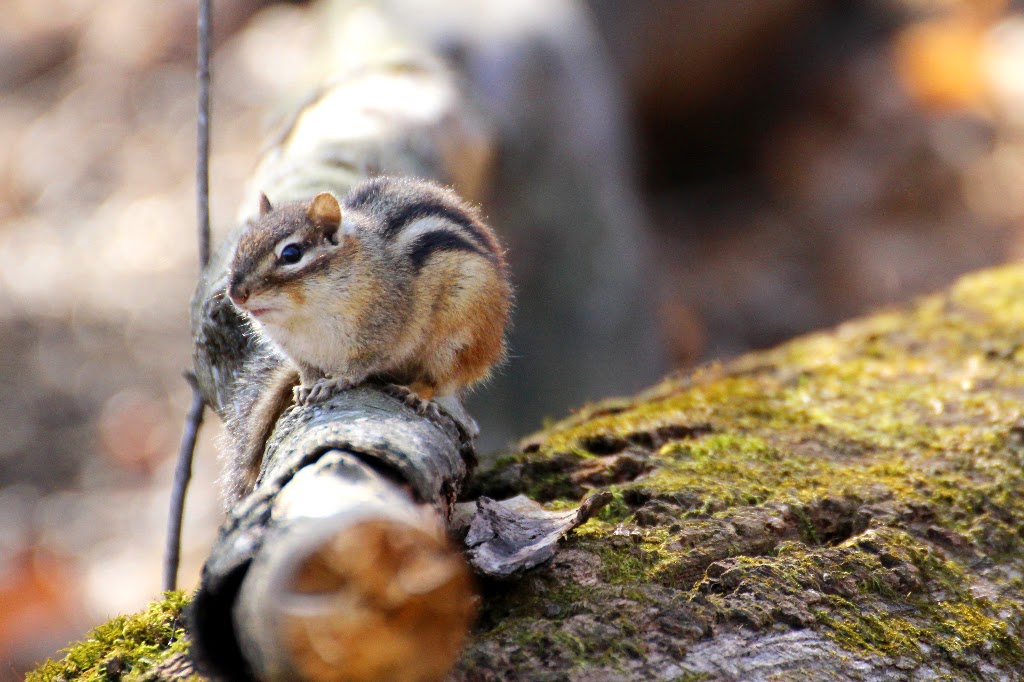
So there I was "quietly" rampaging about several trails in search of wildlife to photograph, and who should I see but the cutest little chipmunk?  This guy was very photogenic and let me take a lot of pictures over about 10 minutes before a family with a couple of young children walked by.  I did get some practice with taking pictures of a rapidly moving subject...


Moving on I found a couple of small squirrels, but they were far enough away that none of my photo's were fantastic.  I found very few birds, and scared up a bunch of wood ducks at one point was wasn't ready to try to catch them in flight.  I swear I was being stealthy.


This female cardinal didn't sit still long enough for me to get my settings right, so all I got was this silhouette.  I went for black and white since the blue background made it look strange.  Not too bad once I did this.


This is not a great picture, but I like it anyway!  I'm assuming this male goose was "marking his territory" by trumpeting every minute or so.  There was another (probably male) goose nearby and I think this guy was trying to intimidate him.  He would also look at me from time to time and give me a good honking as well.  I should have turned my camera to video, but didn't even think of it.  This is why I'm an amateur photographer.

So there you go, some shots from my new lens.  I'm excited about the ability to get closer up to things, but it is significantly longer and heavier than my kit lens or even my Macro lens.  This is not the lens I'm going to carry around when wandering around a new city.

If you have some good telephoto shots and want to share, please link your page/blog below and share with us!


Next week's photo challenge will be using the silk screen effect.  My mom used to be a photographer when I was younger and I remember helping her develop film in our dark and centipede filled basement lit only by one dangling creepy red light.  She would often use silk screen to make prints and shirts, and I remember helping out with that process as well.  I still have a couple of these now rare prints hanging up in my home, and one of my partners at work actually discovered one of these classics in her stash!  So next week I want to use Photoshop Elements to mimic the look of silk screen...without all the messy ink!

Wednesday, April 8, 2015

Photo Challenge #17: The Sabbatier Effect


After playing along with Erin's 30 Word Thursday weekly challenge on her Treasures Found Blog for the past year I have finally taken the plunge and started taking photography more seriously.  Starting with my iPhone, I soon found that the limitations of that device were getting to me.  Upgrading to a Canon Eos Digital Rebel SL1 camera, I've started experimenting more with technique.  I have also invested in Photoshop Elements 12 and most of my post-production on photos will be from that program.  As a way to force myself to try new things, I'm doing a weekly photo challenge--each week focusing on a different photography or editing technique.  Some of these may be simple and others more difficult.  I encourage any of my readers to take part in the challenge!


The Sabbatier Effect!

This week I wanted to try a cool technique I discovered in a photography book.  The Sabbatier Effect is also called Solarization.  The effect was originally seen when the film negative was extremely overexposed (usually from the sun, hence the name solarization.) The effect was imitated in the dark room by briefly exposing the negative to a bright light.  In this day and age of computer graphics and digital photography we can do similar or even more extreme things with this technique.  I have read that bold lines and contrast differences in photos make for a more impressive effect so I looked at some architectural photos I took when in Belgium this past spring.


I struggled a bit getting this photo to look right and am not entirely happy with the final result.

On the other hand, the effect in this version is striking and the texture of the moon is more noticeable.  

I liked the contrast of the dark statue and the lighter brick, but the gloomy day just didn't make this pop like I wanted it too.

So, with the Solarization we get reversed contrast, bringing the statue more into the foreground and the stained glass becomes much more interesting.
Ok, so there you go!  Color and black & white versions of the effect.  Feel free to take part in the challenge by linking your page/blog through the free link tool below.


Next week I'm going to try to actually use my new telephoto lens.  I have been getting by with my kit lens and a Tamron Macro lens up to now.  I'll just be messing around with what effects I can do with the ability to zoom!  If weather continues to be lousy, I may change my challenge...


Tuesday, March 3, 2015

Photo Challenge #13: Ortonize It!


After playing along with Erin's 30 Word Thursday weekly challenge on her Treasures Found Blog for the past year I have finally taken the plunge and started taking photography more seriously.  Starting with my iPhone, I soon found that the limitations of that device were getting to me.  Upgrading to a Cannon Eos Digital Rebel SL1 camera, I've started experimenting more with technique.  I have also invested in Photoshop Elements 12 and most of my post-production on photos will be from that program.  As a way to force myself to try new things, I'm doing a weekly photo challenge--each week focusing on a different photography or editing technique.  Some of these may be simple and others more difficult.  I encourage any of my readers to take part in the challenge! 


This week we will be working with The Orton Effect!  This is a technique originated by Michael Orton in the 1980's where he would sandwich two slides together--one in sharp focus and the other underexposed.  This process results in a strange and possibly dreamy or trippy effect.  Nowadays most photo editing programs can do this easily.  The trick is to find the right picture to use this on.


So here is the original photo.  I took this at Rochefort Abbey in Belgium.  We had a wonderful French/Belgian lunch in town paired with the heavenly Rochefort 6, 8, and 10 beers made just around the corner from where this shot was taken.  This was a special holiday in Belgium and the place was completely deserted.  I'm not entirely sure if we were "allowed" into this little church, but since no one was there to tell us no, we quietly and quickly entered and took some pictures.  The entire place was so peaceful and quiet that one felt like whispering.


Here is the same shot (straitened slightly) with the Orton Effect added.  The slight blur adds a dreamy effect that actually brings across the feel we had when we were on the grounds.  I like how bright colors in this effect will bleed outside their boundaries a bit: see the red from the leaves on the right side of the shot.  My wife really dislikes when I mess with photos like this (she's a photo-realistic gal) so this one goes out to her!


Next up, from the same trip, but in The Netherlands, we have the world's dirtiest swan.  This photo session was actually only the second time I had really used my camera, so I had no clue when it came to lighting, settings, etc.  It was also overcast and intermittently raining on that day, but every once in a while the sun would peak out.


For this shot I used the Orton Effect to cut the somewhat harsh look of the photo!


For next week I'm going to try using the Liquify Filter from Photoshop Elements.  I get the magazine Photo Elements Techniques bimonthly and the first article this month demonstrates using this filter...so why not!  With this filter you can Warp, Twirl, Pucker, Bloat, and Shift Pixels.  I'll either pick out one photo to demonstrate, or look for particular shots that would benefit from this effect.  Liquify can give some cool fun-house effects, but can also be used more sparingly to edit photos.  You know which tack I'm going to take!

Monday, February 23, 2015

Photo Challenge #12: I Like Them Curvy...


After playing along with Erin's 30 Word Thursday weekly challenge on her Treasures Found Blog for the past year I have finally taken the plunge and started taking photography more seriously.  Starting with my iPhone, I soon found that the limitations of that device were getting to me.  Upgrading to a Cannon Eos Digital Rebel SL1 camera, I've started experimenting more with technique.  I have also invested in Photoshop Elements 12 and most of my post-production on photos will be from that program.  As a way to force myself to try new things, I'm doing a weekly photo challenge--each week focusing on a different photography or editing technique.  Some of these may be simple and others more difficult.  I encourage any of my readers to take part in the challenge! 


I Like Them Curvy


Last week we dealt with textures and abstracts to get a different take on things.  This week we focus on a special section of Photoshop Elements (not sure if other programs have the same nomenclature) called Curves.  I have not messed with these settings at all and felt it was time to push myself to try something more unusual and new.  So much of what you can do with these photo editing programs is "under the hood" so to speak and one would never know it was in there at all until someone tells you about it.

Curves for black & white photos are used to change the light character in the picture.  One can lighten the highlights, mid-tones, or shadows to get a different effect.  Or you can darken them.  This allows for some fancy manipulation of just an isolated aspect of the photo without just darkening/lightening the entire thing with the brightness/contrast settings.  Just a little more control.  The picture I used for this looked very different on my large screen Mac at home but on the laptop really didn't look much different so I left it off.

For color photos one can do the same thing, but by taking things to the extreme settings you can get some really cool but wacky effects.


Like I said...pretty wacky!  But I like this effect.  I tried this on a few nature pictures but they looked really unnatural so I scrapped them.  Seemed to work best on structural photos with strong lines.


This was taken in Maastrict, Netherlands last spring.  The light wasn't amazing but I really like this picture.


Using the Curves setting I was able to brighten up the mid-tones adding a warmer feel and bringing out more detail in the reflections on the water.


For the final bit, I went back to a technique from a few weeks ago and Burned-In the clouds, making them a bit more dark and bringing out more detail in them.  
So there you go!  Messing with Curves to get a bit more complexity and control in your post-production.  While it is still best to take a great picture in the first place, sometimes the lighting or conditions are not perfect and you need to tweak things to get closer to what you actually saw.

Feel free to take part in the challenge and post your web/blog page below.


Next week we will be working with The Orton Effect!  This is a technique originated by Michael Orton in the 1980's where he would sandwich two slides together--one in sharp focus and the other underexposed.  This results in a strange and possibly dreamy or trippy effect.  Nowadays most photo editing programs can do this easily.  The trick is to find the right picture to use this on.  Start getting to work!

Monday, February 16, 2015

Photo Challenge #11: Abstracts & Textures


After playing along with Erin's 30 Word Thursday weekly challenge on her Treasures Found Blog for the past year I have finally taken the plunge and started taking photography more seriously.  Starting with my iPhone, I soon found that the limitations of that device were getting to me.  Upgrading to a Cannon Eos Digital Rebel SL1 camera, I've started experimenting more with technique.  I have also invested in Photoshop Elements 12 and most of my post-production on photos will be from that program.  As a way to force myself to try new things, I'm doing a weekly photo challenge--each week focusing on a different photography or editing technique.  Some of these may be simple and others more difficult.  I encourage any of my readers to take part in the challenge! 

Abstracts and Textures

This week the challenge is to get up close and personal with some textures.  With no formal art training, but growing up around a bunch of artists, I was always intrigued by different textures.  I had an aunt and an uncle who were potters, and I remember even as a child loving to hold and touch (carefully) their works.  Having now taken up the camera, I wanted to see how I could translate such a physical media into two dimensions.  I also wanted to get a different view on some familiar subjects!

Now, I realize that some of these following pictures are more Macro shots, but I think they all fulfill the idea of looking more up-close at textures and tactile appearance.


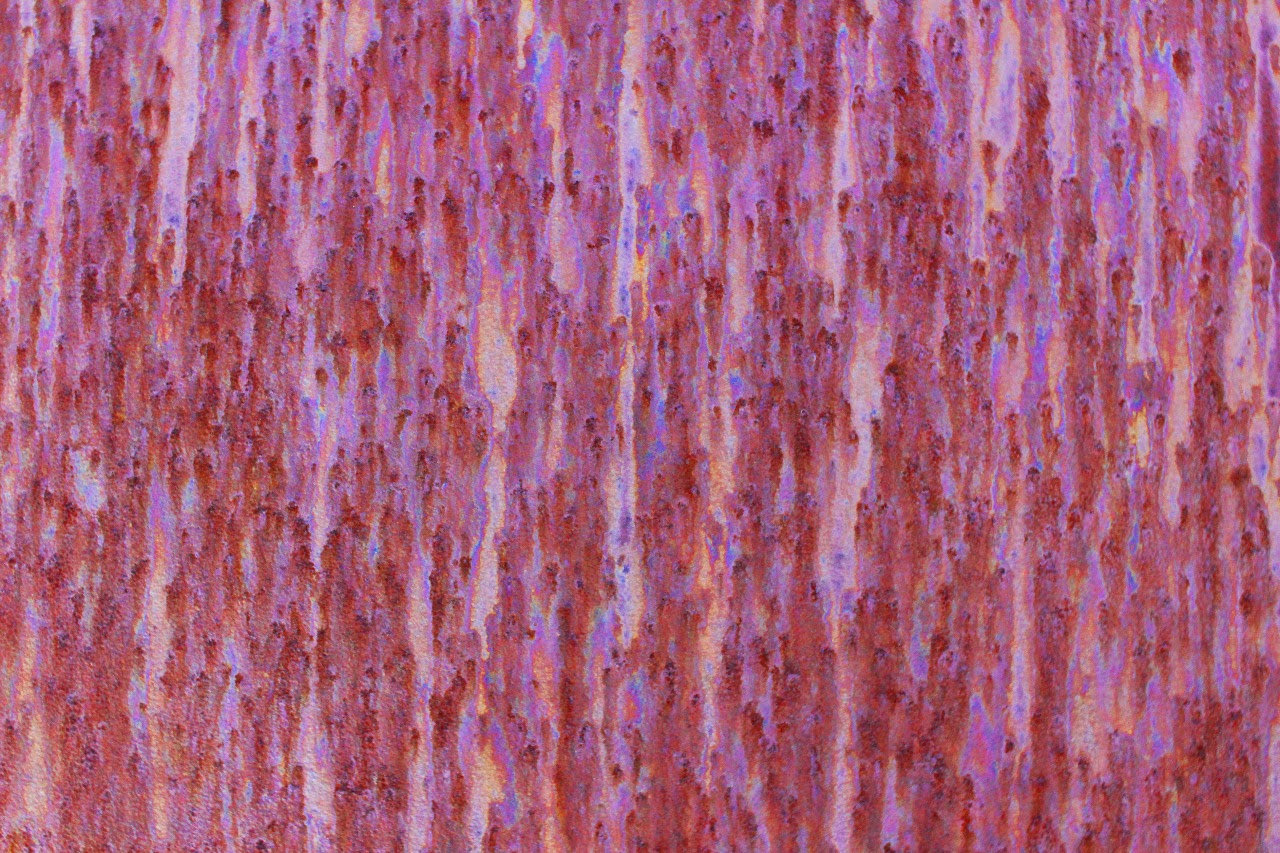
This was a tarnished iron sculpture at The Walker Sculpture Garden.  I enjoyed the pits and trails from the elements and oxidation.

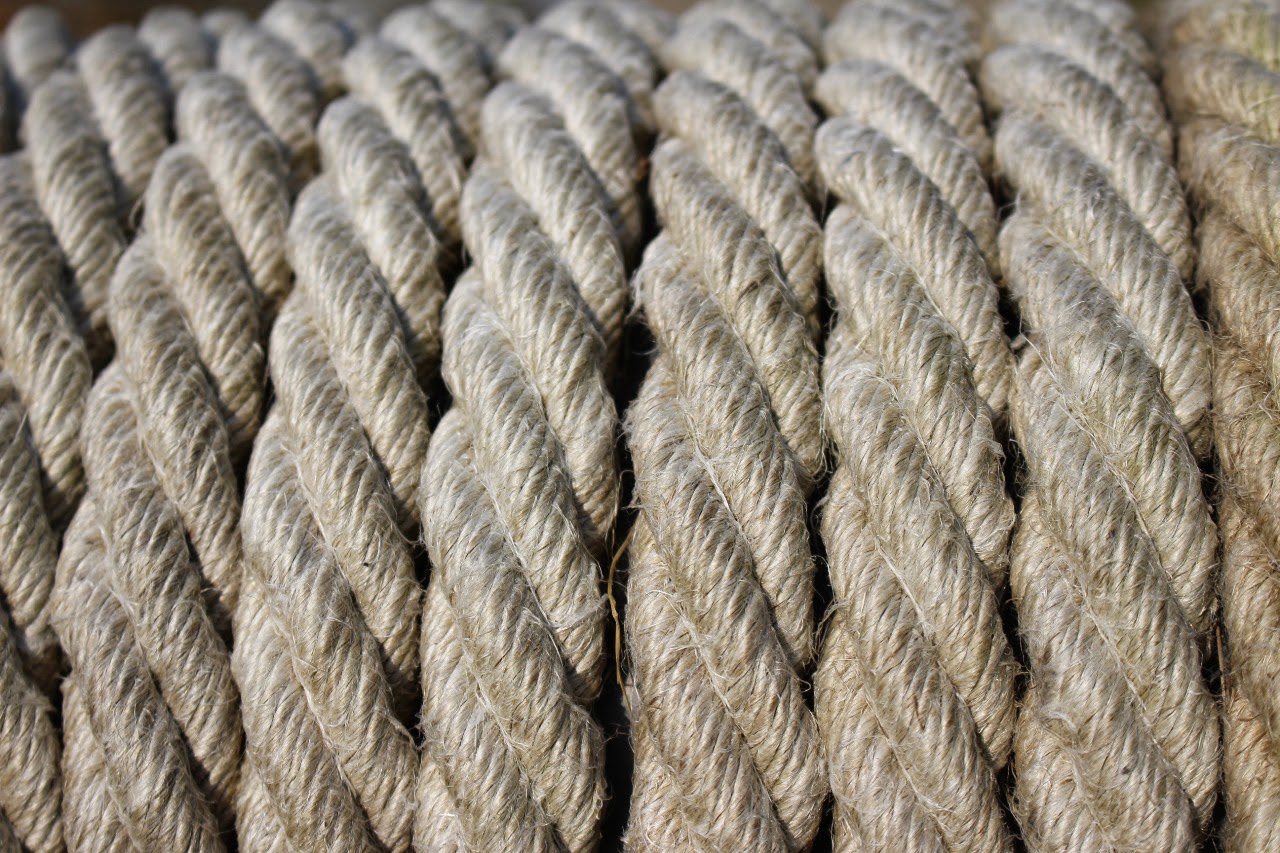
This was a cool coiled rope from Fort Ligonier in PA.

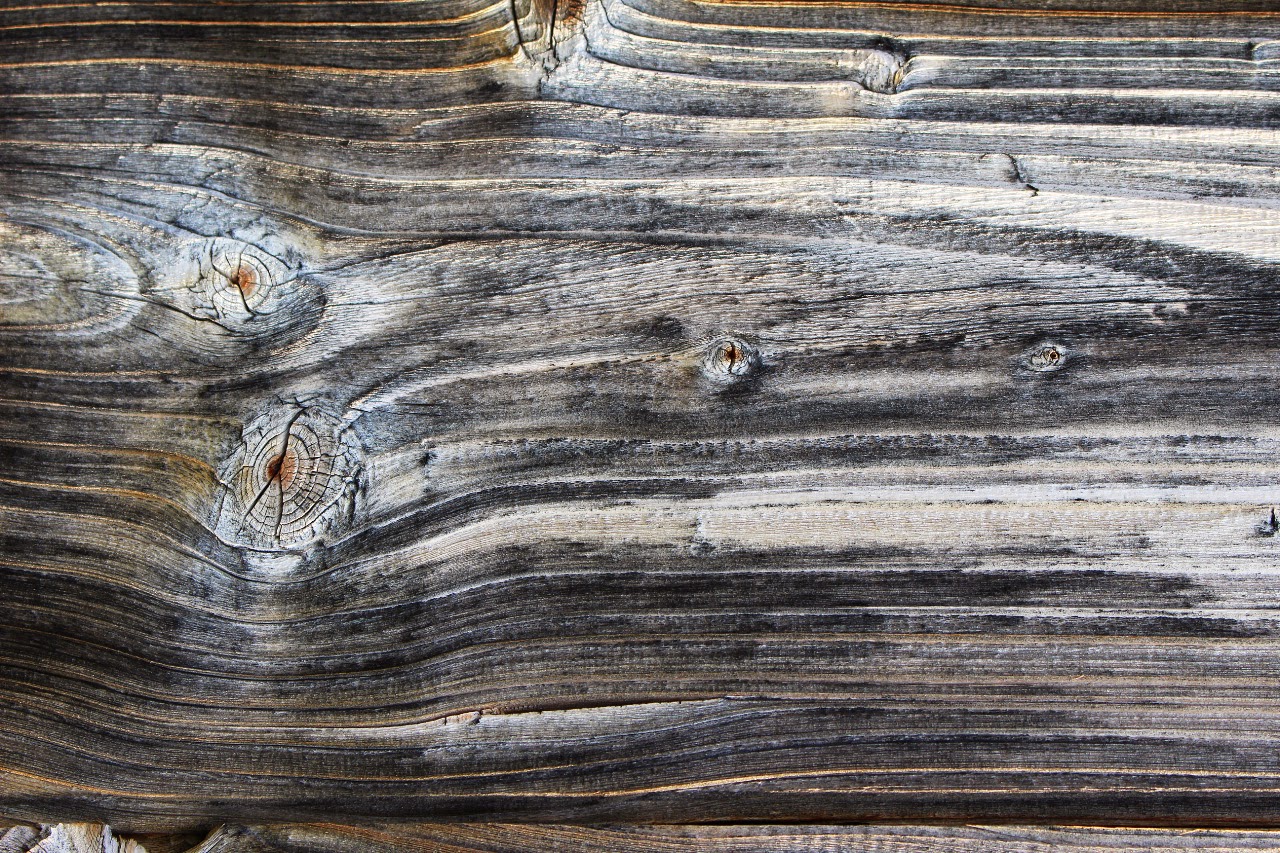
Weathered wood from the Fort.  Light was fairly terrible that day, so I enhanced the contrast and light in Photoshop a bit on this one.

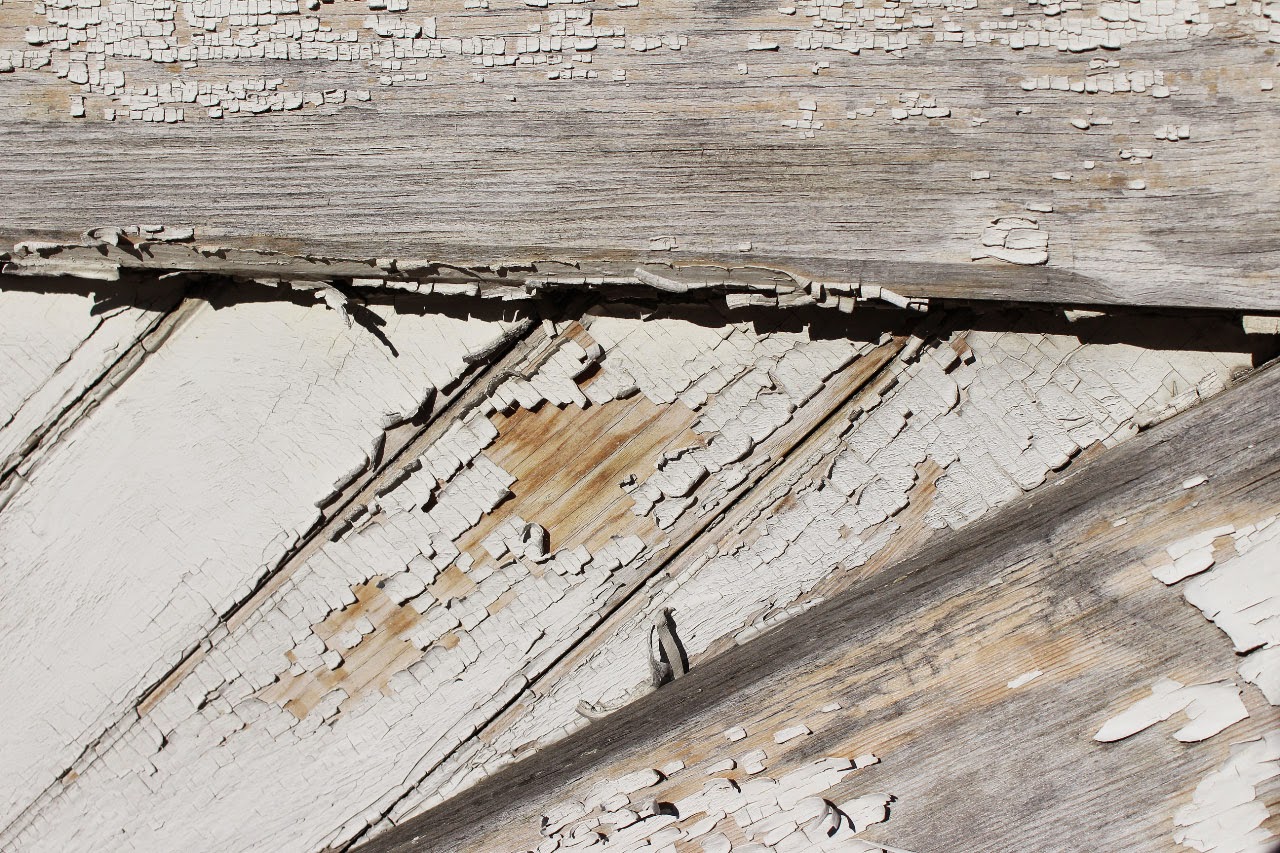
This was peeling paint from the garage of our B&B in Ligonier…proof that there is a photo wherever you look closely.

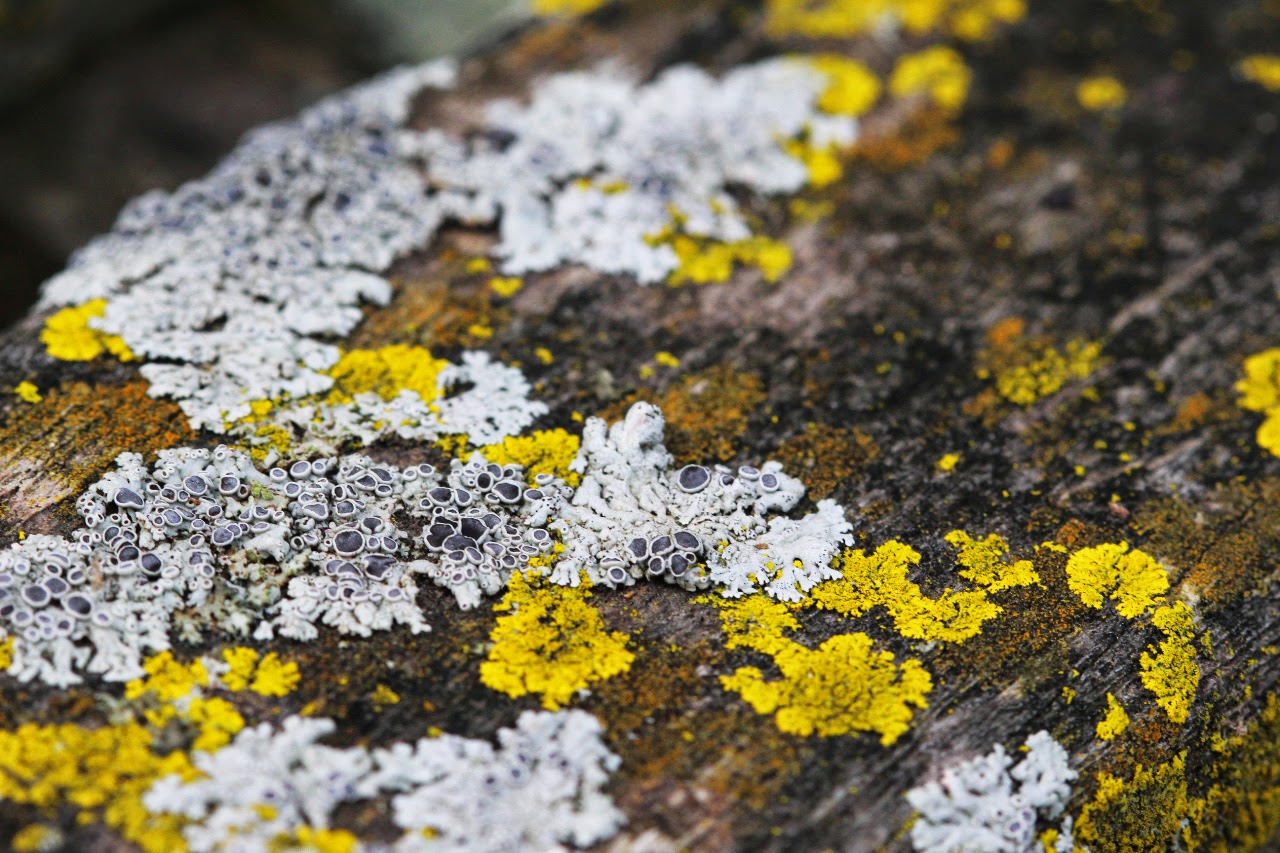
And last up is an old wooden park bench from the Arboretum.


So there you have it, some work on catching textures on film!  I'll be working on this more with the coming of spring and actually getting outside more to take pictures.  Some of these pictures would actually have worked well with my previous background texture challenge HERE.  As usual I have put a link below for folks to play along each week.


An InLinkz Link-up


For next week's challenge I'm going to mess around with Photoshop Elements Curves functions.  To some extent these may lead to High and Low Key effects.  We'll see how that goes!  I'll be posting that next Monday per normal.


Monday, February 9, 2015

JABlog Photo Challenge #10: Desaturate It


After playing along with Erin's 30 Word Thursday weekly challenge on her Treasures Found Blog for the past year I have finally taken the plunge and started taking photography more seriously.  Starting with my iPhone, I soon found that the limitations of that device were getting to me.  Upgrading to a Cannon Eos Digital Rebel SL1 camera, I've started experimenting more with technique.  I have also invested in Photoshop Elements 12 and most of my post-production on photos will be from that program.  As a way to force myself to try new things, I'm doing a weekly photo challenge--each week focusing on a different photography or editing technique.  Some of these may be simple and others more difficult.  I encourage any of my readers to take part in the challenge! 

Desaturate It!

This week I challenged myself (and anyone else who cares to try it) to take a colored photo and tone down the color on it for a different effect.  I tried a couple of things here and you can see the result. 


1) Bumble Bee:  This one was taken on my very first outing into the back yard with my new camera.  I hadn't messed with a non-phone camera since a high school photography class, so the picture came out very dark and sad.  However, instead of just deleting it, I used Photoshop Elements' saturation bar to cut the color and lighted it up.  The result is somewhat washed out, but has a certain charm.  I could do better if I tried this now.


2) Flowers:  This was taken during the summer.  I wanted to catch the backdrop of the colorful flowers whilst focusing in on the foreground detail of a few closer one.  It looks OK, but lacks the impact I was looking for.  By desaturating the overall picture, then highlighting one flower in the foreground I have caused the eye to be drawn to it.  I should probably crop this picture to get it into better Rule Of Thirds.


3) Butterfly:  This humble cabbage butterfly was the focus of the above shot.  I loved the vibrant purple of this flower, but the out of focus background purples draw the eye away from the star of our photo.  By cutting the saturation of the background (while keeping the color intact on the flower in the foreground) the eye stays where it should.


So there you have it!  Doing this, I realized that I want to do a similar effect but with completely cutting the background color to black & white, but I'll save that for a future challenge!

As usual, if you want to play along and post a link to your photo's, just use the handy link tool below to link your page/blog to my challenge.


Next week, we focus in close and look at abstracts and textures.  Take a picture or three of some textures: tree bark, peeling paint, rock, etc.  Macro lenses will work best for this, but you can do it with regular lens as well.  Lets get up close and personal!  As an added bonus, the resulting pictures might make for great backgrounds and textural elements for future photos.  I'll post next Monday and leave the link up all week!